
Download NoteMD – AI‑Powered Medical Scribing Software for Clinicians
Overview
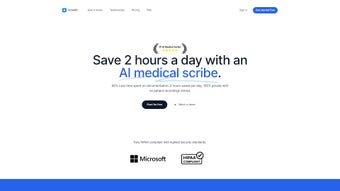
NoteMD is a cutting‑edge, AI‑driven medical scribing platform designed to transform the way healthcare providers document patient encounters. Built on a secure, HIPAA‑compliant cloud infrastructure, the application automatically transcribes spoken dialogue during visits and converts it into detailed, provider‑specific notes. The system learns each clinician’s preferred writing style, terminology, and formatting conventions, producing documentation that feels native to the user while eliminating the tedious manual entry that traditionally consumes valuable clinical time.
By freeing physicians, nurses, and allied health professionals from the paperwork bottleneck, NoteMD enables a sharper focus on direct patient care, improves workflow efficiency, and reduces the risk of documentation errors. The solution is delivered via a subscription model, offering tiered pricing that scales from solo practices to large health systems. Whether you’re a pediatrician, chiropractor, primary‑care physician, or specialist, NoteMD integrates seamlessly with existing Electronic Health Record (EHR) platforms, providing real‑time note generation across desktops, tablets, and smartphones.
Its ability to capture nuanced clinical details and generate follow‑up instructions tailored to each visit positions it as a valuable ally in modern, value‑based care delivery.
Key Features that Set NoteMD Apart
- AI‑Enhanced Transcription: Real‑time speech‑to‑text conversion powered by advanced natural language processing, delivering near‑instantaneous draft notes.
- Provider‑Specific Customization: The engine adapts to individual writing styles, preferred abbreviations, and specialty‑specific terminology.
- HIPAA‑Compliant Security: End‑to‑end encryption, audited data centers, and strict access controls ensure patient privacy.
- Cross‑Device Accessibility: Native apps for Windows, macOS, iOS, and Android allow clinicians to document from any location.
- Seamless EHR Integration: Bi‑directional APIs connect NoteMD with major EHR systems (Epic, Cerner, Athena, etc.) for effortless note import/export.
- Automated Follow‑Up Instructions: Generates patient‑specific care plans, medication reminders, and next‑appointment prompts based on the encounter.
- Continuous Learning Engine: The AI model refines accuracy over time, leveraging feedback loops from corrected notes.
- Audit Trail & Version Control: Every edit is logged, providing a transparent history for compliance and quality assurance.
- Multi‑Specialty Support: Tailored vocabularies for pediatrics, orthopedics, mental health, and more.
- Scalable Subscription Plans: Tiered pricing accommodates solo practitioners, group practices, and enterprise health networks.
Installation & Usage Instructions
Getting started with NoteMD is intentionally straightforward to minimize disruption to busy clinical schedules. First, visit the official website and select the appropriate download link for your operating system (Windows, macOS, iOS, or Android). After the installer completes, launch the application and create a secure account using your professional email address. A two‑factor authentication step adds an extra layer of protection, aligning with HIPAA requirements.
Once logged in, the onboarding wizard guides you through a brief configuration process:
- Profile Setup: Enter your credentials, specialty, and preferred documentation format (SOAP, APS, etc.).
- Voice Calibration: Record a short sample of your typical dictation style; the AI uses this to fine‑tune speech recognition accuracy.
- EHR Connection: Provide API keys or login details for your existing EHR; the system will map patient identifiers and chart sections automatically.
- Template Selection: Choose from pre‑built note templates or create custom sections for your practice.
During a patient visit, simply activate the “Live Scribe” mode. Speak naturally as you would with a human scribe; the AI captures the conversation, tags relevant clinical concepts, and displays a real‑time draft on your screen. You can pause, rewind, or add manual annotations at any point. After the encounter, review the generated note, make any necessary adjustments, and click “Finalize.” The completed document is then securely transmitted to your linked EHR, where it appears as a ready‑to‑sign entry. For teams, administrators can monitor usage metrics, compliance reports, and AI performance dashboards through a web‑based portal, ensuring that the technology continuously aligns with practice goals.
Compatibility, Pros & Cons
NoteMD is built as a true cross‑platform solution. Native desktop clients are available for Windows 10/11 and macOS 10.15 or later, while mobile apps support iOS 13+ and Android 8.0+. The cloud‑based backend ensures that all devices stay synchronized, and the same AI engine powers every platform, guaranteeing consistent note quality regardless of where you work.
Pros
- Significant reduction in documentation time – clinicians report up to 60 % less paperwork.
- High accuracy transcription that improves with continued use.
- Full HIPAA compliance with robust encryption and audit capabilities.
- Seamless integration with major EHR systems eliminates duplicate data entry.
- Customizable templates and provider‑specific language adaptation.
- Available on all major operating systems, supporting both office‑based and remote care.
Cons
- Initial subscription cost may be a barrier for very small solo practices without a budget for software.
- Learning curve for providers unfamiliar with voice‑first documentation workflows.
- Reliance on stable internet connectivity for real‑time transcription; offline mode is limited.
- Some specialties with highly technical jargon may require extra training to reach optimal accuracy.
Frequently Asked Questions
Is NoteMD HIPAA‑compliant?
Yes. NoteMD uses end‑to‑end encryption, stores data in certified healthcare data centers, and maintains detailed audit logs to meet all HIPAA privacy and security standards.
Can NoteMD integrate with my existing EHR?
Absolutely. The platform offers bi‑directional APIs for leading EHRs such as Epic, Cerner, Athenahealth, and many others. Integration typically takes a few hours with assistance from the NoteMD support team.
What devices are supported?
NoteMD runs on Windows 10/11, macOS 10.15+, iOS 13+, and Android 8.0+. The cloud‑based architecture ensures that notes sync instantly across all devices.
How does the subscription pricing work?
Pricing is tiered by the number of active users and required features. There is a basic plan for solo practitioners, a mid‑tier for small groups, and an enterprise plan for large health systems. All plans include regular AI updates and 24/7 support.
What happens if the internet connection drops during a dictation?
NoteMD caches the audio locally and resumes transcription once the connection is restored. However, real‑time syncing and immediate EHR upload require an active internet link.
Conclusion – Is NoteMD Right for Your Practice?
In a healthcare landscape where time is a premium commodity, NoteMD offers a compelling blend of AI‑driven efficiency, rigorous security, and seamless workflow integration. The platform’s ability to learn each clinician’s voice and style means that the generated documentation feels authentic, while the reduction in manual entry translates directly into more face‑to‑face patient interaction. For practices that already rely on digital EHRs and are looking to modernize their documentation pipeline, the investment in a subscription model quickly pays for itself through increased productivity and reduced burnout.
If you’re ready to eliminate the paperwork bottleneck and give your team a tool that respects both patient privacy and clinical nuance, download NoteMD today. Start with a free trial, explore the customizable templates, and experience firsthand how AI can become a trusted partner in delivering high‑quality care.



.png)



